
Cloud Clipboard
Demo: https://s.krab.cn/clip
Repository:https://github.com/krab-lab/cloud-clipboard
Features
A simple and secure web-based cloud clipboard built on EdgeOne Pages. Both devices can sync without being on the same local network.
- 🔐 AES-256-GCM encryption
- ✨ QR code connection
- 🧹 Automatic cleanup of old messages
- 🌙 Dark Mode
Each text entry is encrypted in the browser before upload and temporarily stored in a Blob. After the receiving device confirms receipt, the Blob object is deleted immediately.
Quick Start
Visit Cloud Clipboard
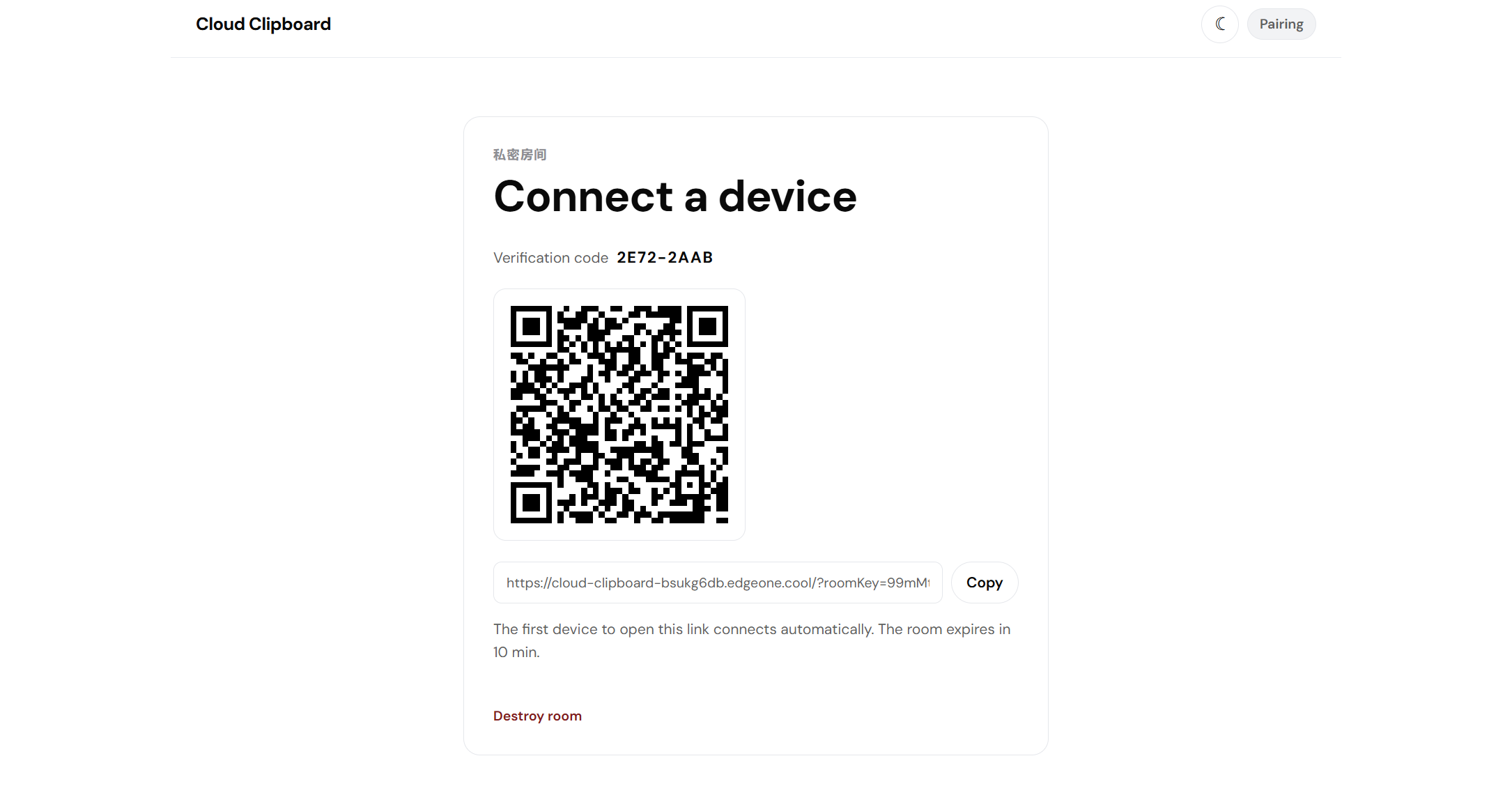
Scan the QR code on another device, or enter the access link in a browser to use Cloud Clipboard.
Read Clipboard
Click Read Clipboard to read the current device’s clipboard and send it immediately.
You can also manually enter text and send it.
Only plain text is supported; images and other files are not supported.
Destroy Room
Click Destroy Room to do so. If there are no new messages within the configured TTL period, which is 10 minutes by default, the room will be destroyed automatically.
After destruction, neither side can view the messages anymore.
Issues
Please open an Issue.