


Telegram Sticker Transcoding Tool
Demo: https://s.krab.cn/tg-sticker
Repository: https://github.com/krab-lab/tg-sticker-transcoder
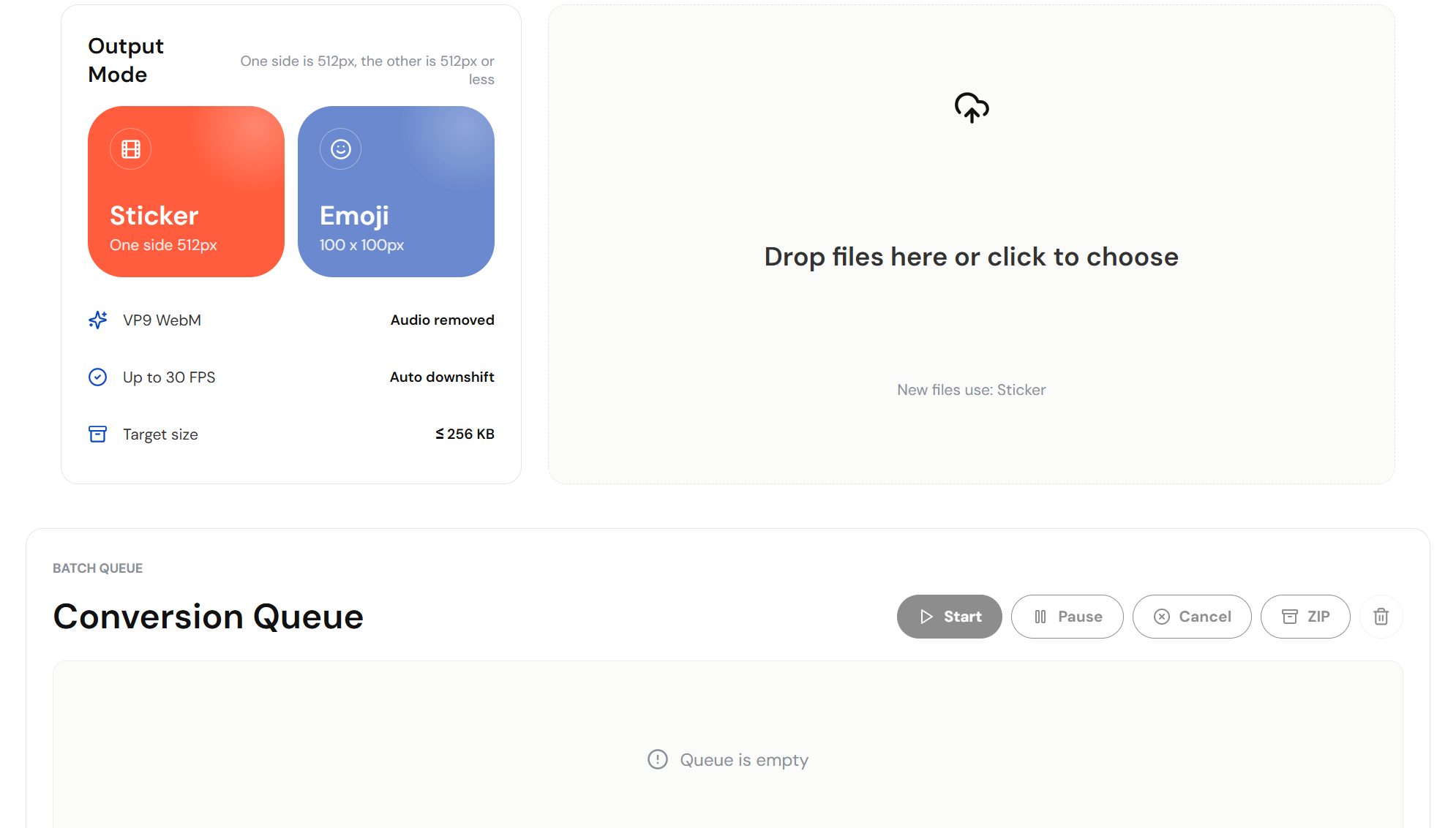
A purely front-end tool for batch-converting GIF, MP4, MOV, WEBM, and other files into TG video stickers or video Emoji WebM files.
It can automatically adjust the bitrate under file size limits to achieve the highest-quality output.
All processing is completed locally in the browser. No data is uploaded to the cloud, ensuring privacy and security.
Quick Start
Visit the TG Sticker Transcoding Tool
TG requires animations to be no longer than 3 seconds, so the tool will only extract the first 3 seconds of the video. It is recommended to prepare your files in advance to avoid overly long processing times, running out of memory, or being cropped.
Select the output mode and start processing
Select the output mode you need, and activate either the Sticker button or the Emoji button.
Make sure that New files use: shown below the file upload box is the mode you want.
Click the file upload box, or drag files into the upload box. Batch selection is supported.
When finished, click the Start button in the Conversion Queue to begin processing.
Processing complete
Click ZIP to download all completed transcoded WebM animations in the queue.
Click the trash can icon, or refresh the page, to clear the files in the queue.
Features
- Sticker mode: Outputs VP9 WebM, with one side at 512px and the other side no more than 512px, automatically preserving the aspect ratio when scaling.
- Emoji mode: Outputs VP9 WebM at exactly 100 x 100px. Non-square assets will be padded to a square with a transparent background.
- Frame rate up to 30 FPS, with bitrate dynamically adjusted according to the asset duration to get as close as possible to the 256 KB limit.
- Supports batch queues, single-file downloads, ZIP download of all files, and loop previews.
FAQ
Please send feedback to [email protected] or open an Issue, and provide:
- Your device and operating system
- Your browser
- The source video or animation you input, if available
MokuMoku
A small collection of board games that support both human-computer and multiplayer online play, including Gomoku, Go, Reversi, and Hexadecimal.
Sshwifty Plus
Establish SSH connections through the browser with automatically managed SSH keys. Self-host on Cloudflare Workers without running a server.